

Start here
What 'Smart Home' Actually Means
Foundation
What You Need Before Buying Anything
Core knowledge
The Four Device Categories Worth Knowing
Go deeper
How These Devices Talk to Each Other
Stay safe
Privacy and Security Basics
Take action
A Practical Starting Point
What 'Smart Home' Actually Means
A smart home is simply a residence where everyday devices — lights, thermostats, door locks, outlets — can be monitored or controlled remotely, usually through a smartphone app or voice command. The "smart" part refers to the device's ability to connect to a network, follow scheduled instructions, and sometimes respond to conditions like motion or temperature.
The concept sounds more complex than it needs to be. At its most basic, a smart plug you control from your phone is a smart home device. You do not need a whole-house installation or a dedicated control panel to qualify. Think of it as a spectrum: one connected device at one end, a fully automated home at the other.
Protocol
A standardized communication method that devices use to send and receive instructions. Examples include Wi-Fi, Zigbee, and Bluetooth.
Hub
A central device that manages communication between smart home products, particularly those using Zigbee or Z-Wave signals.
Firmware
Built-in software that controls a hardware device's core functions. Manufacturers release firmware updates to fix bugs and patch security vulnerabilities.
Mesh network
A system of multiple router units placed around a home to create consistent, wide-ranging Wi-Fi coverage without dead zones.
Matter
A modern connectivity standard that allows smart devices from different manufacturers to work together without compatibility barriers.
Wake word
A specific spoken trigger phrase — such as a device name — that activates a smart speaker's microphone and prepares it to receive a voice command.
What You Need Before Buying Anything
Two things matter above all else before selecting any device: a working Wi-Fi network and a compatible smartphone. Almost every consumer-grade smart device sold today connects through your home's wireless router. If your router struggles to reach certain rooms, devices in those areas will behave unreliably regardless of quality.
Check where your router is placed and whether its signal reaches the rooms where you plan to install devices. A mesh network system — a set of routers that blanket a home in overlapping coverage — can resolve dead zones, but it is a separate investment worth understanding before you start. For unfamiliar hardware terms, our consumer electronics glossary explains specs like Wi-Fi generations in plain language.
The Four Device Categories Worth Knowing
Smart home devices fall into a handful of practical categories. Understanding each one helps you decide where to begin.
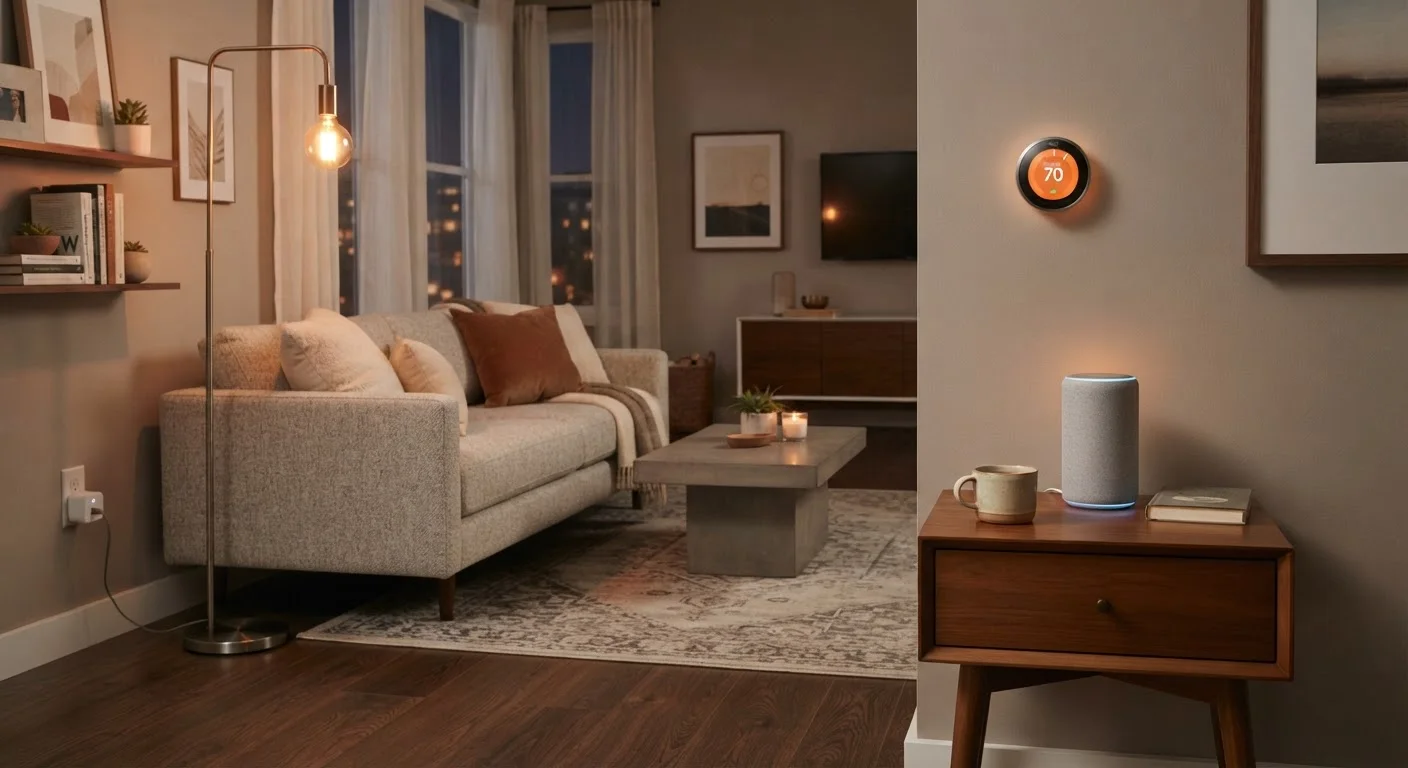
- Smart speakers and displays: These act as voice-controlled interfaces. You speak a command, and the device relays it to connected products. They also play music, answer questions, and set reminders independently of any home automation.
- Smart plugs: Standard electrical outlets that add a Wi-Fi-connected switch between the wall socket and whatever is plugged in. They let you turn devices on or off remotely and set schedules — without any rewiring.
- Smart thermostats: Replacements for standard wall thermostats that learn usage patterns, allow remote temperature adjustments, and can reduce energy use by adjusting heating or cooling based on whether anyone is home.
- Sensors: Small devices that detect motion, contact (a door or window opening), temperature, smoke, or water. They generate alerts and can trigger other devices automatically — for example, turning on a light when motion is detected.
Start With One Room
Choosing a single room — such as a living room or bedroom — to set up first keeps the learning process manageable. Once you understand how devices connect and interact in one space, expanding to the rest of the home becomes much more straightforward.
How These Devices Talk to Each Other
Smart devices communicate using wireless protocols — standardized languages that let hardware send and receive instructions. The main ones a beginner will encounter are:
- Wi-Fi
- The most familiar protocol. Devices connect directly to your router without additional hardware. Simple to set up, but each device uses a small share of your network's capacity.
- Zigbee and Z-Wave
- Low-power mesh protocols where devices relay signals between each other. They require a separate hub device but use less energy and can support more devices simultaneously than Wi-Fi.
- Matter
- A newer, cross-platform standard intended to let devices from different manufacturers work together seamlessly. Devices certified for Matter can be controlled through multiple ecosystems without compatibility barriers.
- Bluetooth
- Short-range protocol used for devices near the controlling phone or hub. Reliable in close proximity; range-limited beyond a single room.
For most beginners, Wi-Fi-based devices are the easiest starting point because they require no additional hardware. As a setup grows, dedicated protocols become worth exploring.
Privacy and Security Basics
Smart devices are networked computers in your home, and like any connected technology, they raise legitimate privacy considerations. Microphones in smart speakers listen for wake words. Cameras and motion sensors log activity. Thermostats record occupancy patterns. This data is typically processed by the manufacturer's cloud servers.
The practical steps that reduce exposure are straightforward: use a strong, unique password on your router, keep device firmware updated, and review what permissions each companion app requests. Placing smart devices on a separate guest Wi-Fi network — a feature most modern routers support — isolates them from computers and phones storing sensitive information. Our article on online privacy for everyday users covers these habits in more detail for anyone who wants to go deeper.
Guest Networks: A Simple Precaution
Most modern home routers allow you to create a separate guest Wi-Fi network. Placing smart home devices on this isolated network means that even if a device were compromised, it would be separated from the computers and phones that hold your most sensitive data. Check your router's settings app or manual to see if this option is available.
A Practical Starting Point
The most straightforward first purchase for a smart home beginner is a smart plug. It requires no installation, works with most routers, and teaches you how device apps, scheduling, and voice assistants function — all with minimal cost and zero risk to your home's wiring.
From there, a logical next step depends on your household priorities. If energy use concerns you, a smart thermostat is a high-impact addition. If security or awareness is the goal, a door or motion sensor is a small, inexpensive experiment. Smart bulbs offer visual ambiance and color control; smart displays consolidate control of multiple devices into a single screen.
Building a smart home incrementally — one device at a time — is not a compromise. It is the approach that produces the most durable understanding of how the pieces actually fit together. The goal is a home that works for you, not a showcase of connected hardware. For broader context on picking up unfamiliar subjects methodically, see our guide on starting a new subject from scratch.
Frequently Asked Questions
No. A smart speaker is a convenient voice-control interface, but it is not required. Most smart devices can be controlled entirely through a smartphone app. A speaker becomes useful once you have several devices and want hands-free control.
Basic devices like smart plugs and thermostats use very little bandwidth. A standard residential broadband connection is generally sufficient. Problems arise more often from router range than from total speed — devices far from the router may perform poorly.
Matter is a shared connectivity standard backed by major tech companies, designed so that devices from different manufacturers work together reliably. For beginners, it simplifies future purchases by reducing compatibility guesswork, though many existing devices predate the standard.
Most smart devices require no permanent installation. Smart plugs, smart bulbs, and portable speakers are fully removable. Smart thermostats typically involve minor wiring and may require landlord permission before installation.
No connected device is completely immune to security risks. The most effective precautions are using a strong, unique router password, keeping device firmware updated, and reviewing what data each app collects. Placing smart devices on a separate guest network adds another layer of protection.
A hub is a central device that manages communication between smart home products, particularly those using Zigbee or Z-Wave protocols. Many modern devices connect directly to Wi-Fi and do not require a hub. Whether you need one depends on the specific devices you choose.
The content on this site is for informational purposes only and is not a substitute for professional advice. Always consult a qualified professional for guidance specific to your situation.