

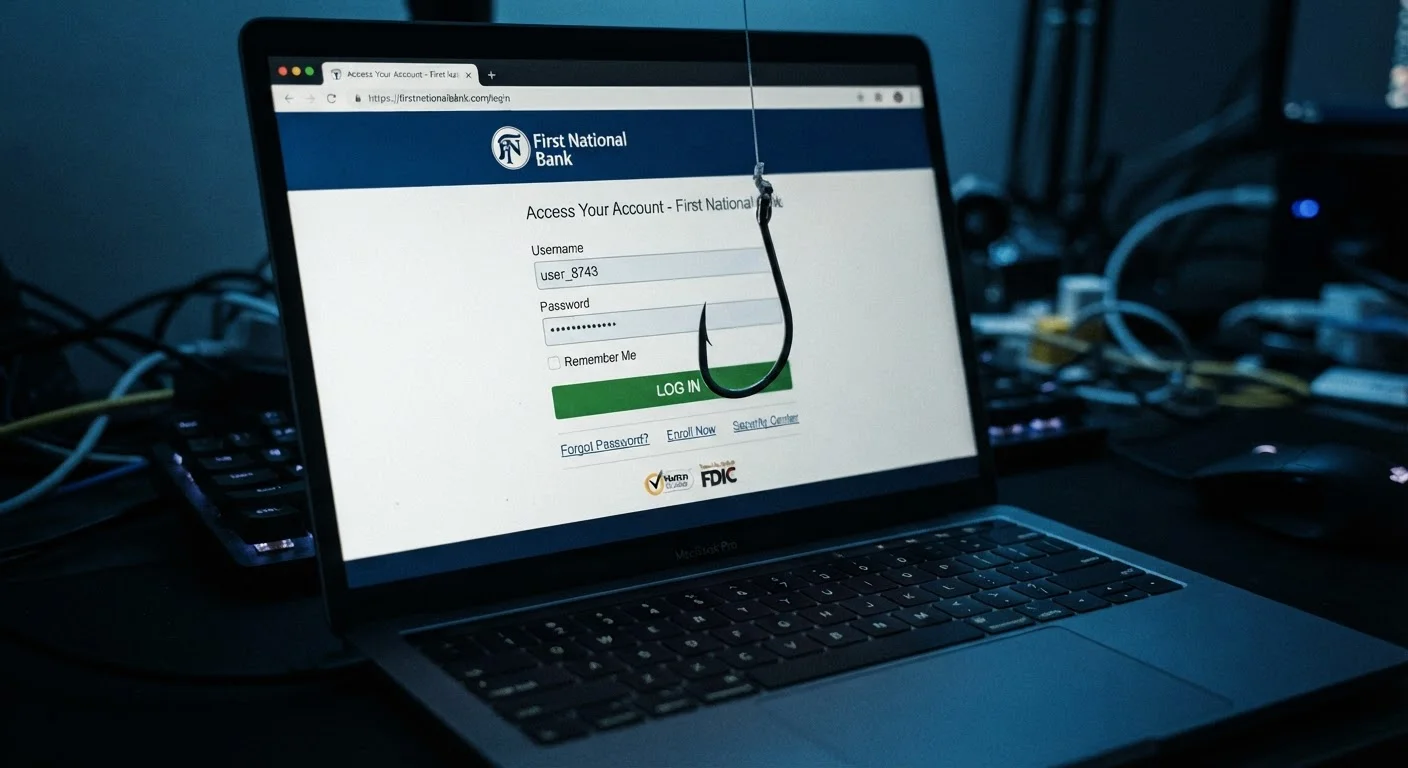
The Illusion of a Trustworthy Message
The image of phishing as a clumsy, typo-ridden email from a foreign prince is badly out of date. Today's phishing messages are engineered with a precision that would be impressive if it weren't so dangerous. Logos are pixel-perfect, sender addresses appear legitimate at a glance, and the language mirrors exactly what a real bank, employer, or government agency would write.
What makes phishing so persistently effective isn't technical complexity — it's psychological sophistication. Attackers understand that humans are wired to respond to certain triggers: urgency, fear of loss, authority, and familiarity. A message warning that your account will be suspended in 24 hours bypasses careful analysis and pushes toward immediate, instinctive action. That's not a flaw unique to careless people. It's a feature of how human cognition works under pressure.
For a deeper look at how these psychological tactics operate across different types of cybercrime, see our coverage on social engineering and the human side of cybercrime.
“Phishing works because it doesn't try to break your computer — it tries to break your judgment. And breaking human judgment, under the right conditions, is surprisingly straightforward.”
— Bruce Schneier, Security technologist and author on cybersecurity and human factors
Spear Phishing: When Attackers Do Their Homework
Generic phishing casts a wide net, but spear phishing is a precision strike. Attackers research a specific target — often using information freely available on LinkedIn, company websites, or through prior data breaches — to craft a message that feels personally relevant and credible.
An employee might receive an email that appears to come from their company's CFO, referencing a real internal project by name and asking them to process an urgent wire transfer. A university student might get a message from what looks like their institution's IT department, citing their actual enrollment status. The personal details aren't guesses; they're harvested data, assembled to eliminate the skepticism a generic message might trigger.
36%
Share of data breaches involving phishing
According to Verizon's Data Breach Investigations Report, phishing consistently ranks among the top initial attack vectors in confirmed data breaches year over year.
3.4 billion
Phishing emails sent globally per day
Industry estimates cited by cybersecurity researchers suggest billions of phishing emails are dispatched daily, underscoring the scale and automation behind these campaigns.
74%
Of phishing attacks involve credential harvesting
Research from security firms indicates the majority of phishing campaigns are specifically designed to capture usernames and passwords rather than deliver malware directly.
This level of targeting is why phishing victims aren't simply people who "weren't paying attention." Even experienced professionals in security-adjacent roles have been caught by well-researched spear phishing campaigns. The attack surface is psychological, not just technical, which is why understanding these tactics matters as much as knowing which software to install.
What Phishing Actually Asks You to Do
Phishing attacks generally aim to accomplish one of a few things: capture your login credentials through a fake site, get you to download malware disguised as a legitimate attachment, or manipulate you into transferring money or sensitive data directly. The mechanism varies, but the core approach is the same — create a scenario where handing over information feels like the right, safe, or necessary thing to do.
Fake login pages are particularly effective because they're nearly impossible to distinguish visually from real ones. A URL might differ by a single character — "paypa1.com" instead of "paypal.com" — or use a legitimate-looking subdomain to mask the true destination. Mobile devices make this harder to catch because browser bars are smaller and full URLs are rarely visible without deliberate effort.
Verify Through a Separate Channel
If you receive an unexpected message asking for credentials, a payment, or sensitive information — even from a seemingly familiar sender — don't respond using the contact details in that message. Look up the organization's official phone number or website independently and verify the request directly. This one habit neutralizes the majority of phishing attempts regardless of how convincing they appear.
It's also worth noting that phishing isn't confined to email. Voice-based attacks ("vishing"), SMS messages ("smishing"), and even fake QR codes have all been used to redirect targets to fraudulent pages or extract information in real time. The channel changes; the manipulation strategy doesn't. For broader context on how your personal data moves through digital environments, our guide on online privacy for non-technical users provides a useful foundation.
Defenses That Actually Work
No single tool eliminates phishing risk entirely, but a few habits consistently reduce exposure. The most effective starting point is simple: pause before acting. Phishing depends on overriding deliberate thought with urgency. Taking 30 seconds to verify a sender's address, check a URL before clicking, or confirm a request through a separate channel breaks that mechanism.
Enabling multifactor authentication (MFA) on accounts — especially email, banking, and workplace systems — means that a stolen password alone is rarely enough to grant access. Password managers also help by autofilling credentials only on the correct, recognized domain, which means they won't complete a form on a convincing fake site.
Organizations can layer in technical controls like email authentication protocols and phishing-resistant MFA methods, but individual awareness remains foundational. Many common privacy assumptions create a false confidence that attackers are specifically designed to exploit. Building lasting digital safety habits — rather than reacting to individual threats — is what security professionals consistently recommend for everyday users.
Frequently Asked Questions
Look for mismatched sender addresses, unexpected urgency, unusual requests for credentials, and links that don't match the organization's actual domain. Hovering over a link (without clicking) reveals the true destination URL. When in doubt, navigate directly to the organization's official website rather than clicking anything in the message.
Yes. SMS-based phishing is called "smishing." Attackers send text messages impersonating banks, delivery services, or government agencies, often with links to fake login pages. These can be just as convincing as email-based attacks and are increasingly common.
Multifactor authentication (MFA) adds a critical layer of protection, making stolen passwords much less useful on their own. However, some advanced phishing techniques, such as real-time credential relay attacks, can intercept MFA codes. MFA still dramatically reduces risk and is strongly recommended for all important accounts.
No. Research consistently shows that intelligence and technical familiarity do not provide reliable protection against well-crafted phishing attempts. Attackers deliberately exploit cognitive biases — like trust in authority or the impulse to respond quickly — that affect everyone regardless of education or experience.
Change your passwords immediately for the affected account and any accounts sharing that password. Enable multifactor authentication if you haven't already. Report the incident to the organization being impersonated and, if financial information was shared, notify your bank or card issuer. A qualified cybersecurity professional or your IT department can help assess further exposure.
The content on this site is for informational purposes only and is not a substitute for professional advice. Always consult a qualified professional for guidance specific to your situation.